

The short answer: missed call text back is an automation that sends a text to anyone whose call you couldn't answer, usually within a minute, so they hear from you before they call the next business on their list. Set it up in your phone system, CRM or field-service tool. Write a short message that says who you are and asks what they need, send it only during the hours you can actually follow up, and register your business number for texting so carriers deliver the messages. Then make sure a real person or an AI agent replies when they write back.
If you run a trade, a clinic, a salon or any business where the phone rings while you're busy doing the work, this is one of the simplest automations to set up and one of the easiest to justify. Here's how to do it properly.
Why missed calls cost you jobs
When someone calls a local business, they usually need something soon. If nobody answers, many callers don't leave a voicemail. They just call the next business on the list.
A missed-call text keeps that conversation going. Instead of silence, they get a message within seconds: "Sorry we missed you, how can we help?" Texting also suits people who can't talk right now, which is often why they hung up instead of waiting.
We haven't published a missed-call study of our own, and we won't quote industry percentages we can't source. The logic is simple, though: a caller who wanted you five seconds ago is about as high-intent as a lead gets.
How missed call text back works
The flow is short:
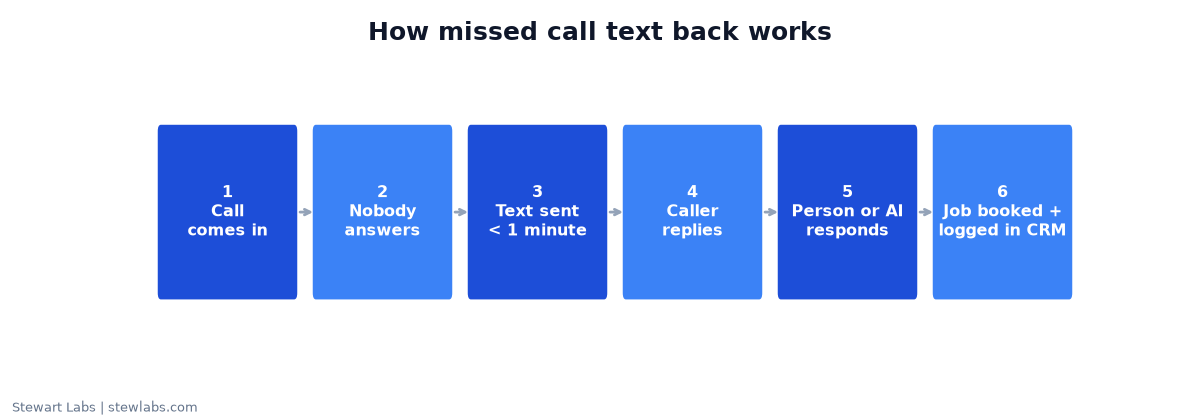
How missed call text back works, step by step.
- A call comes in to your business number.
- Nobody answers, or the call goes to voicemail.
- The system sends a text to the caller's number, usually within a minute.
- The caller replies by text with what they need.
- A person or AI agent picks up the conversation, books the job or calls them back.
- Everything is logged in your CRM, so nothing slips through.
Steps 1 to 3 are the automation. Steps 4 to 6 are where the money is made, and where most setups fall down.
Step 1: Choose where to set it up
You have three main options:
| Option | Good for | Examples of real tools |
|---|---|---|
| Built into your CRM or field-service tool | Businesses already using one for jobs and customers | GoHighLevel, Jobber, Housecall Pro, ServiceTitan |
| Built into your business phone system | Businesses that mainly need the phone handled | Business phone systems that offer auto-replies, such as RingCentral or OpenPhone |
| Custom build | Businesses with a developer, or unusual needs | Twilio, connected with Zapier or code |
Our advice: start with the system that already holds your customer list and job calendar. If the text and the job live in the same place, follow-up is much easier.
Features and prices change often, so check each vendor's current plans before you choose. We've only named tools here, not prices.
Step 2: Register your number for texting (US)
This step trips up many businesses. In the US, texts that a business sends through software on a regular 10-digit number are treated as "application-to-person" (A2P) messages. Carriers require these to be registered. That means registering your brand (your business) and a campaign (what you'll text about, how people opt in, and how they opt out or get help) (Twilio A2P 10DLC documentation).
What happens if you skip it? According to Twilio, unregistered traffic can face extra carrier fees and filtering, so your texts may simply never arrive. Other options include toll-free numbers, which have their own verification process. Small sole-proprietor registrations also come with lower sending limits (Twilio).
Most CRMs and phone systems walk you through registration. Do it before you switch the automation on, and allow some time for approval.
Step 3: Write the message
Keep the first text short, human and useful. Say who you are, apologize briefly and ask an open question.
For a trade or home service:
Hi, this is [name] at [business]. Sorry we missed your call, we're on a job. What can we help with? Text back here, or tell us a good time to call. Reply STOP to opt out.
For an appointment business:
Hi, it's [business]. Sorry we missed you! Are you looking to book, or is there something we can help with? You can also book here: [booking link]. Reply STOP to opt out.
After hours:
Thanks for calling [business]. We're closed right now but will call you back first thing tomorrow. If it's urgent, text us the details here. Reply STOP to opt out.
Tips:
- Use your business name in the first few words, so the caller knows who's texting.
- Ask a question. It invites a reply.
- Include opt-out wording. Carriers expect it, and it's good practice.
- No hard selling. They called you. Just help.
Step 4: Control the timing
Fixed schedules cause real problems, and we learned this the hard way.
On a B2B job board we run, we used a CRM with an AI voice agent and automated callbacks to follow up with 73 new leads. Three people asked for a callback at a specific time, and the automated retries kept landing at the wrong time of day. The automation followed its schedule perfectly. It just wasn't the schedule the customer had asked for. (Read the full case study.)
Lessons for missed-call text back:
- Send the first text right away, within a minute of the missed call, at any hour your business takes calls.
- Use separate after-hours wording that sets a clear callback time.
- When a customer names a time, put it in the calendar as a task for a person. Don't leave it to a fixed retry loop.
- Don't send marketing follow-ups late at night. It's annoying, and it can break texting rules.
Step 5: Decide who answers the replies
The automation only buys you a few minutes. Somebody has to respond. You have three choices:
- A person gets an alert on their phone and replies when they can. This is the simplest and works well for small teams.
- An AI chat or voice agent answers common questions and books appointments, then hands harder questions to a person.
- A mix: AI during busy hours and after hours, people the rest of the time.
We run AI voice and text follow-up in our own businesses. It's genuinely good at answering fast and consistently: on that job board campaign, the AI agent called every lead and reached 18 live people out of 73. The catch is that automation speeds up whatever intent the lead already has. Cold, low-intent leads stayed cold. That campaign spent $321.63 for one $49 customer.
Missed callers are the opposite. They chose to call you. That's why missed-call text back is one of the best places to use automated follow-up.
Step 6: Measure it
Track these weekly:
- Missed calls. This is your phone system's number, and it tells you how big the opportunity is.
- Texts sent. This should roughly match missed calls from new numbers. If it doesn't, check your settings and registration.
- Replies. How many callers wrote back.
- Booked jobs from replies. Tag them in your CRM so you can count them.
- Time to first human response. How long a customer waits after replying.
If texts go out but replies are low, test the wording. If replies come in but jobs don't, the problem is the follow-up, not the automation.
Common mistakes
- Not registering the number, so texts get filtered and you never find out.
- Texting existing customers or contacts who called for other reasons. Most tools let you exclude known numbers, suppliers and family.
- Sending a long, salesy first message. Short and helpful wins.
- No owner for replies. The text promises a response. Make sure someone delivers it.
- Retrying on a fixed timer when the customer gave you a time.
- Never checking the numbers. Look at the weekly counts above.
Setup checklist
- Pick the tool (CRM, phone system or custom).
- Register your brand and campaign for business texting, or verify a toll-free number.
- Write three messages: business hours, after hours and a reminder.
- Exclude known numbers (staff, suppliers, existing contacts if you prefer).
- Set who gets notified when someone replies.
- Test it: call from a phone that isn't saved, let it ring out and check the text arrives.
- Review the weekly numbers after two weeks.
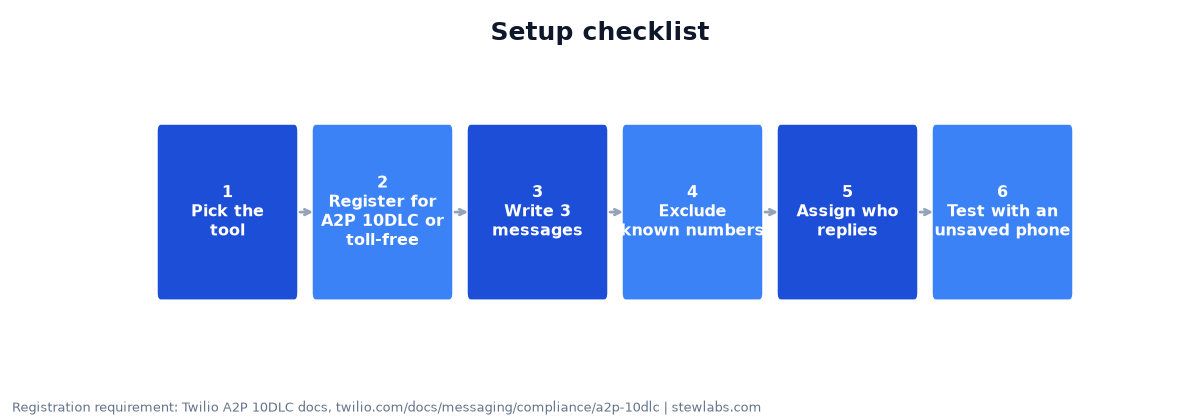
Registration requirement per Twilio's A2P 10DLC documentation.
FAQ
What is missed call text back?
It's an automation that sends a text message to callers when you can't answer the phone, so you can continue the conversation by text instead of losing the lead.
Is missed call text back legal?
Replying to someone who just called you is common practice, but texting rules vary by country and situation. In the US, carriers require business texting through software to be registered (A2P 10DLC), and you should always include opt-out wording. If you're unsure about your situation, check with a professional.
How fast should the text go out?
As soon as possible, ideally within a minute. The goal is to reach them before they call the next business.
Can AI answer the replies?
Yes. AI chat and voice agents can answer common questions and book appointments. Have them hand off to a person for anything complex, and check the conversations regularly.
Do I need a new phone number?
Usually not. Many tools work with your existing business number, although some require porting or forwarding the number. Check with your provider.