
The short answer: don't delete them. Redirect them. A safety-training SaaS we run had 383 AI-written blog posts still live. Over 90 days they earned 6 Google clicks combined, and no single post earned more than one. We kept the one post that was worth keeping and 301-redirected the other 382 to five strong pages in four batches. The site's redirect map grew to 430 posts. We deleted nothing from the database, and the sitemap's blog URLs fell from 99 to 1.
Over the same stretch, the whole site's weekly Google clicks went from 5 to 33. The redirects weren't the only change that month, so we can't give them all the credit (more on that below). But they didn't cost us a single click, and they gave Google a much cleaner site to crawl.
We run AI automation on our own businesses and publish what works, with real numbers. This is the exact process, including the rules we used to decide where every post went.
How we ended up with 383 thin posts
Earlier in the year, the site ran an AI auto-blogger. It published posts on a schedule from January to October, across eight categories like construction safety, industrial hygiene and OSHA compliance. On paper, that's a lot of content. In practice, most posts were variations on the same few ideas, with titles like "elevate your safety talks" and "the power of toolbox talks."
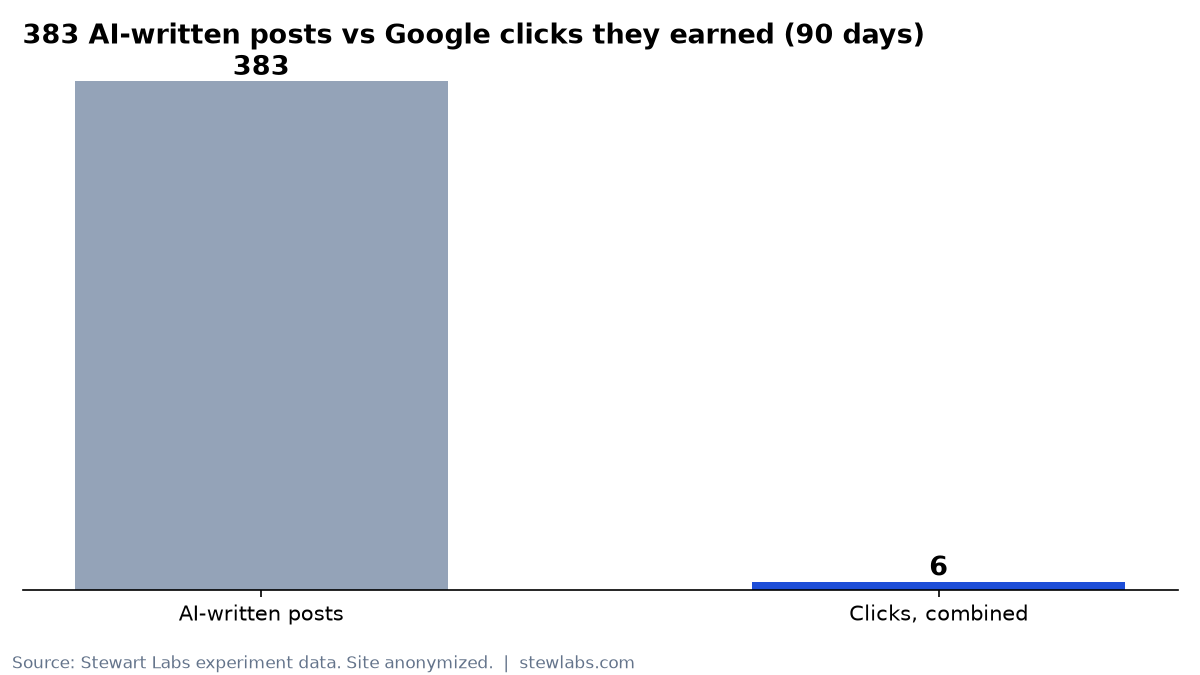
383 AI posts, 6 clicks in 90 days.
Google noticed. Here's what the 90-day Search Console data (Jul 31 to Oct 28) showed for those 383 posts:
| Metric | All 383 posts combined |
|---|---|
| Clicks | 6 |
| Impressions | 1,431 |
| Most clicks on any one post | 1 |
Across the whole blog, the old auto-blog post with the most impressions (437 in 90 days) sat at an average position of about 85, deep on page 9 of the results. Meanwhile, the site already had a handful of real hub pages (a construction safety topics page, a workplace safety topics page and a few how-to guides) that covered the same intent much better.
So the posts weren't helping, and they were competing with the pages that could.
Should you delete old blog posts? Our rule
Deleting a post returns a 404. Anything that ever pointed to it (links, bookmarks, Google's own index) hits a dead end. A 301 redirect sends people and search engines to the best replacement page instead, so whatever small value the post had moves with it.
Here's the rule we used:
- Keep a post if it earned more than 2 clicks in 90 days, or if it covers a topic no other page covers.
- Redirect everything else to the single closest strong page.
- Never redirect to the homepage. Google tends to treat a redirect to an unrelated page like a deleted page.
- Never chain redirects (A → B → C). Every redirect is exactly one hop.
Applied to 383 posts, that rule kept 1: a 1,510-word industrial hygiene guide that was the only page on that topic. It had earned 1 click and 17 impressions at an average position of about 13, and six earlier redirects already pointed to it. Moving it would have created redirect chains.
The other 382 were redirected.
Step 1: Pull the data, per post
Start with Search Console's Pages report for the last 90 days, filtered to your blog folder. Export clicks and impressions for every post. Then pull the full list of live posts from your CMS. Don't trust a rough estimate. Ours was "about 330." The real count was 383.
Put both in one spreadsheet with one row per post: the slug, category, clicks, impressions and redirect target. That sheet becomes your redirect map and your audit trail.
Step 2: Write mapping rules, not 382 decisions
Picking a target post by post is slow and inconsistent. We wrote five rules and let the first match win:
| # | If the post is about… | It redirects to | Posts |
|---|---|---|---|
| 1 | Construction safety | Construction safety topics hub | 57 |
| 2 | Industrial hygiene | The industrial hygiene guide we kept | 63 |
| 3 | Generic "daily safety talks" | Daily safety briefing page | 5 |
| 4 | Generic "power of toolbox/safety talks" | How to conduct a toolbox talk guide | 161 |
| 5 | Everything else (OSHA, training, hazards) | Workplace safety topics hub | 96 |
That adds up to 382. Before shipping anything, we checked every target page. Each one had to:
- return HTTP 200 directly, with no redirect of its own
- be set to
index, follow - have a self-referencing canonical tag
- not be a redirect source itself
If a target fails any of those, you've built a chain or a dead end.
Step 3: Ship in batches, with tests
We didn't flip 382 redirects at once. We shipped four batches of about 95 posts on the same day and checked the site after each one:
| Batch | Posts | Redirect map size after | Blog URLs left in sitemap |
|---|---|---|---|
| Before (phases 1–2, earlier) | 48 | 48 | 99 |
| 1 | 96 | 144 | 87 |
| 2 | 96 | 240 | 68 |
| 3 | 95 | 335 | 57 |
| 4 | 95 | 430 | 1 |
After each batch, an AI coding agent ran the same checks:
- Automated tests: the map size and per-target counts are correct, there are no loops or chains, no redirect points to the homepage, every target returns 200, and the kept guide isn't redirected. All 160 of 160 tests passed every time.
- Live checks with curl: sample redirected URLs returned a single 301 to the right hub. Key pages (blog index, pricing, signup, the kept guide) still returned 200. After the last batch, a full sweep of all 430 redirected URLs returned the expected 301 with 0 failures.
- Sitemap and RSS: redirected posts dropped out of the blog listing, the sitemap and the RSS feed automatically.
- Tracking: analytics and ad tags were still present on the pages.
Step 4: Redirect without deleting anything
The redirects live in one small file in the codebase: a list of old slug → new target. Middleware reads that list and returns the 301. The same list hides those posts from the blog index, the sitemap and the RSS feed.
No database rows were deleted. If we ever want a post back, we remove one line from the list. That makes the whole change reversible, which matters when you're touching hundreds of URLs at once.
Step 5: Clean up the sitemap
Your sitemap should only list pages you want indexed. Before this project, the blog section listed 99 auto-blog posts. Afterward it listed 1 (the kept guide). The hub pages that received the redirects stayed in the sitemap, so Google's crawl now goes to the pages that deserve it.
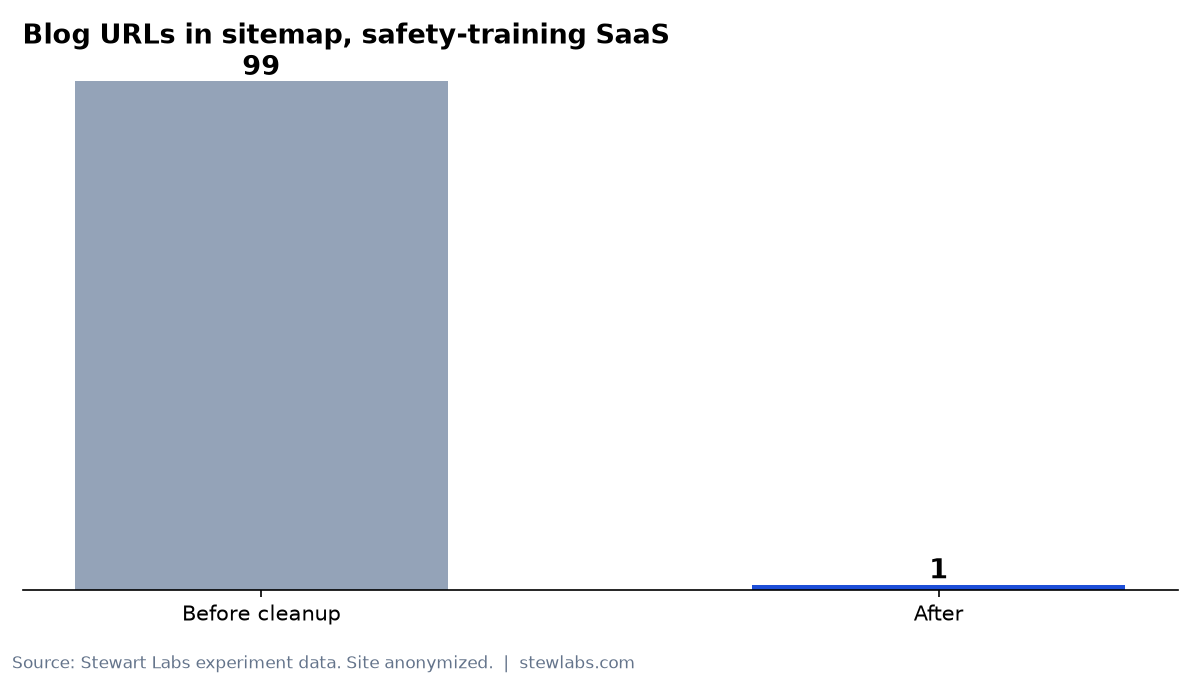
Blog URLs in the sitemap, before and after.
What happened next
The redirects were part of a larger cleanup that month. The site also fixed how its pages render for Google and added new seasonal topic pages. So here's what the whole site did, without pretending one change caused all of it:
| Window | Google clicks | Impressions | Avg position |
|---|---|---|---|
| Oct 15–21 | 5 | 512 | 48.6 |
| Oct 22–28 | 33 | 1,036 | 32.1 |
Zooming out further, the site had 5 Google clicks in all of September and 53 in the 28 days to Nov 2.
What we can say about the redirects specifically:
- We lost nothing. The 382 posts were bringing in 6 clicks per 90 days combined. Site clicks rose after the redirects, not fell.
- Average position improved from 48.6 to 32.1 week over week, as hundreds of low-ranking pages stopped diluting the site.
- The crawl got simpler. Google went from finding 99 thin blog URLs in the sitemap to 1.
We'll keep tracking whether the five hub pages pick up rankings as Google reprocesses the redirects. The full before-and-after story of this site is in our post on going from 5 to 33 weekly Google clicks.
Mistakes to avoid
- Don't trust the first count. Our estimate was off by more than 50 posts.
- Don't redirect a post that other redirects point to. That's how chains happen. Check first.
- Don't redirect to the homepage just because there's no obvious target. Find or build a real one.
- Don't do it all in one deploy. Batches let you catch a bad mapping rule after 95 URLs, not 382.
- Watch for stale data. Search Console keeps reporting impressions for a redirected URL for a while. Our own plan once listed 7 posts to redirect, and 6 of them already had been.
Is AI auto-blogging bad for SEO?
Not by definition. Ours failed because it published hundreds of near-duplicate posts on a schedule, with no one checking whether a better page already existed. AI driven SEO works when the AI does the slow parts (pulling the data, applying the mapping rules, writing the tests, checking every URL) and a person decides what's worth publishing in the first place.
The checklist
- Export 90-day clicks and impressions for every blog post.
- Pull the real list of live posts from your CMS.
- Set a keep rule (ours: more than 2 clicks, or a unique topic).
- Write first-match-wins mapping rules to five or so strong targets.
- Verify every target returns 200, is indexable, is self-canonical and isn't redirected.
- Ship in batches with tests for chains, loops and homepage redirects.
- Remove redirected posts from the sitemap and RSS. Keep the database rows.
- Compare clicks, impressions and position week over week.