
The short answer: a construction takeoff SaaS we run spent $455.43 on Google Search ads over about two weeks. That bought 77 clicks and 1 conversion (a free-trial start). The ads weren't the main problem. For the first eight days, half the paid visitors landed on the homepage, and none of them reached the free-trial page. The budget was also too small to compete: the ads showed for only about 10% of the searches they were eligible for.
We fixed the landing page, tightened the keywords, then turned the ads off. The next morning, a new free trial came in from a free (organic) Google search.
We run AI automation on our own businesses and publish what works, with real numbers. Here's what a small-budget Google Ads test for B2B SaaS actually looks like, and the checks we'd run before spending a dollar next time.
The setup
- One Search campaign, budget $35 a day.
- Two ad groups: "Takeoff Software" (people searching for the category) and "AI Takeoff" (people searching for AI-powered tools).
- Phrase and exact match keywords, plus negative keywords to block job seekers, free-download hunters and unrelated trades.
- The conversion goal: a free-trial start, tracked with a website tag.
- Data window: Oct 12 to Oct 27, 2026.
The results
| Metric | Result |
|---|---|
| Spend | $455.43 |
| Impressions | 1,267 |
| Clicks | 77 |
| Click-through rate | 6.08% |
| Average cost per click | $5.91 |
| Conversions | 1 (Oct 18) |
| Search impression share | 9.99% |
| Impression share lost to budget | 30.6% |
| Average quality score | 4.2 / 10 |
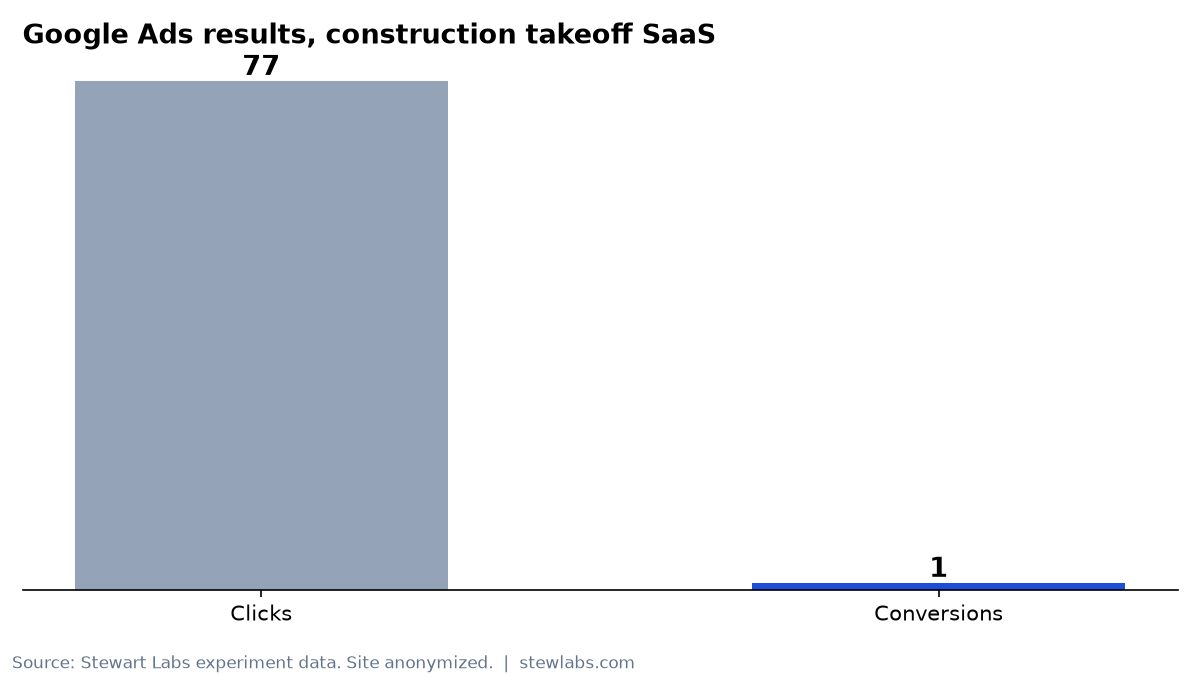
77 clicks, 1 conversion.
A 6% click-through rate is healthy for Search. People who saw the ad wanted to click it. What happened after the click is where it fell apart.
By ad group and match type
| Ad group | Clicks | Spend | Conversions |
|---|---|---|---|
| Takeoff Software | 24 | $139.13 | 1 |
| AI Takeoff | 47 | $297.63 | 0 |
| Match type | Spend | Conversions |
|---|---|---|
| Phrase | $350.69 | 1 |
| Exact | $104.74 | 0 |
The one conversion came from a single phrase-match keyword about automated takeoff software: 17 clicks, $93.10, 1 conversion.
The "AI" ad group got twice the clicks and none of the conversions. People searching for "AI takeoff" seemed more curious than ready to buy. People searching for takeoff software in plain terms were closer to a purchase.
The landing page mistake
When we joined the ad data to the site's analytics, the problem was obvious. From Oct 16 to Oct 24:
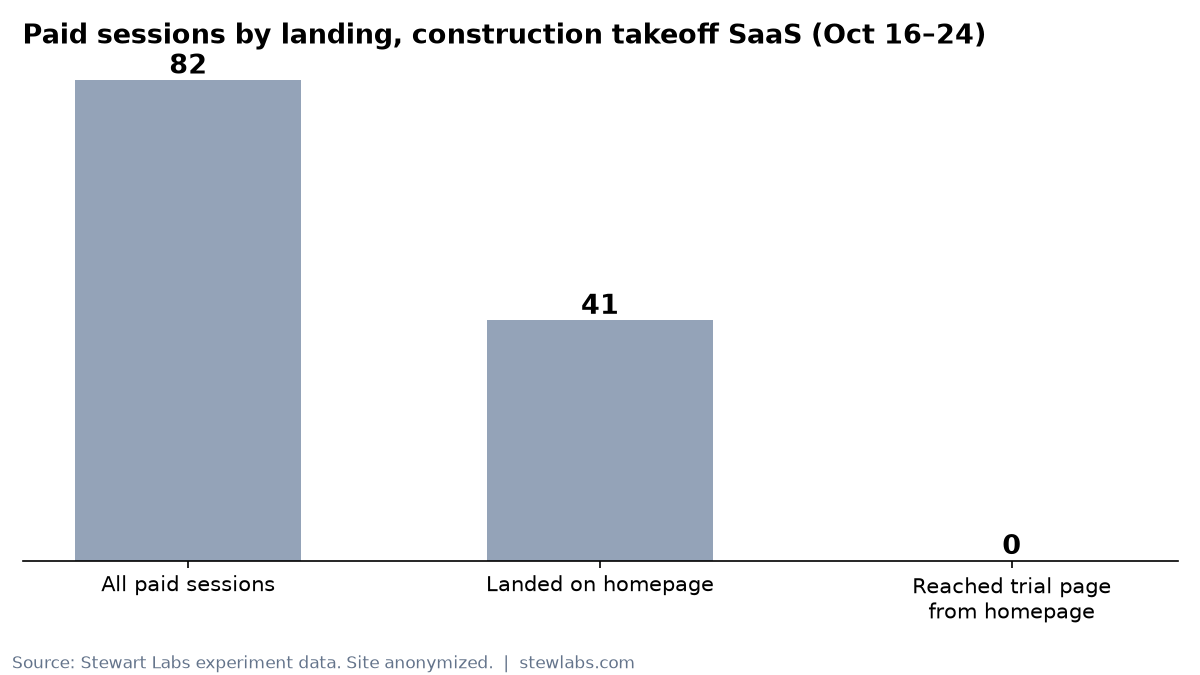
Where paid visitors actually landed.
- 41 of 82 paid sessions entered on the homepage, not the free-trial page.
- 0 of those 41 reached the free-trial page.
- The Pricing sitelink sent 10 sessions. All 10 bounced.
- 60 of 82 paid sessions (73%) were on mobile, and the site loaded a 2.4 MB uncompressed JavaScript bundle.
So half the clicks paid for a page that never got anyone to the trial. Most visitors were on a phone, waiting for a heavy page to load.
We fixed the ad destinations on Oct 24 so every ad and sitelink pointed to a page with a clear trial button.
How to run Google Ads for SaaS on a small budget
Here's what we'd check, in order, before spending again.
Step 1: Land every click on a page built for the conversion
Don't send paid clicks to your homepage. Check the final URL on every ad and every sitelink. A sitelink that says "Pricing" should land on a pricing page with a trial button, not a page people bounce off.
Then confirm it in analytics. Filter to paid sessions and look at entry pages. If you see your homepage at the top, fix that before anything else.
Step 2: Make the page fast on a phone
73% of our paid visitors were on mobile. Compress your JavaScript, check the page in a mobile speed test and make sure the trial button is visible without scrolling. A slow page wastes every click you pay for.
Step 3: Check your conversion tracking before launch
We audited the conversion setup and it scored a D (63.3 out of 100). The primary conversion was a website-tag trial start. That works, but it doesn't tell Google which trials turn into paying customers, so the bidding can't optimize for revenue. On a small budget, every signal matters.
Step 4: Start with phrase match on buying-intent terms
Our only conversion came from a plain, buying-intent phrase. The broader "AI" terms burned more than twice as much money for nothing. On a small budget, pick a handful of phrases a buyer would type, and add the trendy terms later.
Step 5: Add negative keywords early and often
We added 18 negatives in one pass after reviewing the search terms, for 73 in total. Review the search terms report every few days in the first two weeks. Every irrelevant click on a $35-a-day budget is a meaningful share of the day.
Step 6: Be honest about impression share
We showed for about 10% of eligible searches, and lost 30.6% of impression share to budget alone. With an average cost per click near $6, $35 a day buys about six clicks. At that volume, a single good or bad day swings the results. It can take weeks to learn anything, so decide upfront how much you're willing to spend to find out.
Step 7: Set a stop rule
Ours should have been: "If we have fewer than X trials by $Y, pause and fix the funnel." We ended up pausing anyway, but a written rule makes the call faster and less emotional.
What happened after we stopped
We paused the campaign on Oct 27. Daily spend in the last two days was $19.05 (3 clicks) and $47.14 (6 clicks).
The next morning, a new free trial came in from organic Google search, with no ad click involved. That's the outcome we actually wanted: a buyer who found the product without us paying for the click.
We haven't confirmed whether the single paid conversion from Oct 18 became a paying customer, so we aren't counting any revenue from the ads.
Is Google Ads worth it for a small SaaS?
It can be. But on a small budget, the ads are rarely the bottleneck. In our test:
- The ads earned a healthy 6% click-through rate.
- The landing page threw away half the clicks.
- The budget was too small to learn quickly.
- The tracking couldn't tell Google which trials mattered.
Fix the page, the speed and the tracking first. Then spend.
Checklist
- Every ad and sitelink lands on a page with a clear trial or demo button.
- Paid entry pages verified in analytics within the first 48 hours.
- Mobile load time checked and JavaScript compressed.
- Conversion tracking audited, ideally tied to paid customers.
- Phrase match on 5–10 buying-intent terms to start.
- Search terms reviewed every few days, with negatives added.
- A written stop rule: budget, number of trials and date.